
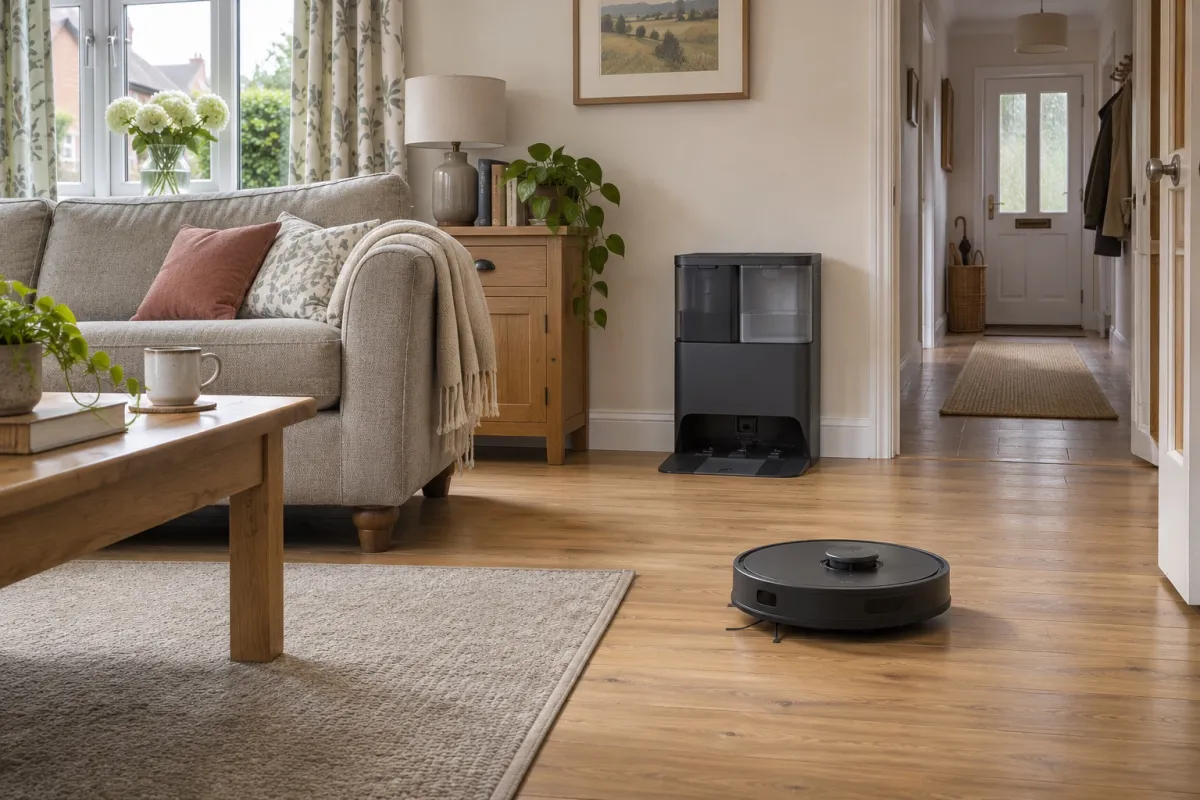
A robot vacuum is most useful when it can clean the same worthwhile stretch of floor repeatedly without being rescued. Before choosing one, walk from the proposed charging spot through the rooms you want it to cover. A clear downstairs loop can be a better match than a larger home divided by steps, narrow gaps and rugs that need moving.
Walk the route before choosing the robot
Picture an ordinary weekday, with dining chairs, pet bowls and children's things where they usually sit. Then make three checks:
- Good fit: useful areas of floor are connected, you can keep the route reasonably clear, and there is a permanent place for the dock.
- Workable with compromises: a rug needs excluding, one room is inaccessible, or you will carry the robot upstairs. Decide whether the remaining coverage still earns its cost.
- Resolve before buying: the only dock position blocks a walkway, important rooms sit beyond a step the robot cannot cross, or the floor needs clearing so often that you would rarely run it.
If your home passes those checks, our robot vacuum cleaner guide compares the cleaning ability, docks and compromises of suitable models. Keep your measurements beside you when comparing them.
Count the floor it can reach, not the rooms on the box
Start with the floor you most want help with. A kitchen, hallway and living room on one level can give a robot a worthwhile daily job, even if bedrooms remain yours to vacuum. Closed doors and raised dividers can split that area into separate jobs.
Saving several floor maps does not let a robot climb stairs. You still have to carry it between storeys. Check how your chosen model handles cleaning away from its dock, particularly if it needs to return to wash its mop during a run. Do not assume a downstairs washing station can support an unattended upstairs mopping session.
At open stairs or other drops, follow the model's instructions for physical protection. Drop sensors are not a guarantee against a fall, and an app boundary should not be your only protection around a hazardous edge.
Walk the narrowest routes too: between dining-chair legs, past a sofa arm and through the doorway when it is partly open. The robot's width matters here, while a small body alone tells you little about its ability to collect fine dirt.
Measure the awkward gaps and raised doorways
For furniture, measure from the floor to the lowest obstruction underneath, including crossbars, sagging fabric and the edge of a rug. Compare that with the robot's complete height, including any raised sensor. A measurement that only just matches the gap is a poor basis for confident access.
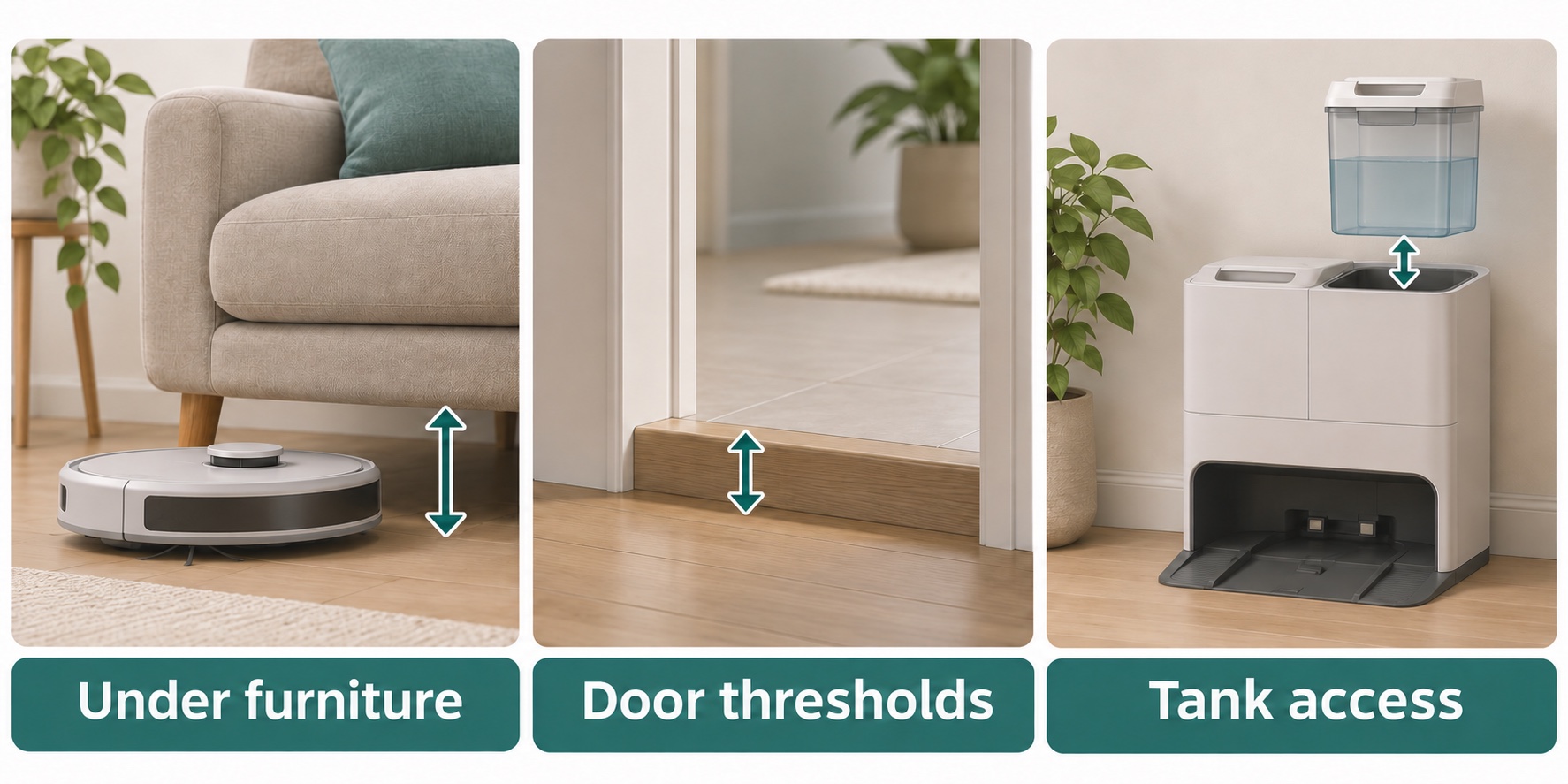
Measure furniture clearance, the shape and height of raised doorways, and the room needed to lift out the dock’s tanks. Illustrations are not to scale. Credit: Product Inspector.
At a doorway, measure the rise from each side and look at its shape. A rounded strip, a sharp vertical lip and two spaced rises can behave differently. Note which direction the robot needs to cross and whether a rug sits against the obstacle.
The Roborock Saros 20 shows why headline numbers need care. Its stated threshold capability is up to 4.5 cm for a single rise, or a 4.5 cm rise followed by a 4.3 cm rise with a gap greater than 12 cm and no more than 14 cm. That is a particular two-step arrangement, not an 8.8 cm vertical step or a staircase. Check the full conditions against your doorway rather than adding the heights together.
If a troublesome threshold cuts off the room you mainly want cleaned, settle that question first. Buying more suction power will not solve a route the robot cannot travel.
Check rugs and carpets before planning any mopping
For a home with mixed floors, ask two separate questions: can the robot cross and vacuum the rug, and can it keep a wet mop away from it? A robot that answers the first well may still need a carpet exclusion or a separately planned vacuuming run.
- Long pile and fringes: check the manual's carpet limits. Loose tassels and rug edges can catch, even when the main carpet surface is manageable.
- Mop lifting: compare the permitted carpet thickness, rather than assuming a lifted pad clears every rug. A soft pile can still reach the wet fabric.
- Delicate hard floors: check the flooring manufacturer's care instructions before using a wet mop, especially on wood, damaged joints or moisture-sensitive surfaces.
The Xiaomi Robot Vacuum X20+, for example, needs carpeted areas marked in its app. Its mop pads lift by up to 7 mm, but Xiaomi recommends the carpet-avoidance setting for carpets thicker than 5 mm. Those are different measurements; neither is a promise that every rug stays dry.
Watch the first complete cleaning run, including the return to the station. Check rug edges as well as the centre, and adjust the exclusions before relying on a schedule.
Give the dock a permanent, usable home
A dock that fits into a recess may still be awkward to use. Allow for the robot's approach, the power lead and the space you need to remove a bag, lift a water tank or take out a cleaning tray. Check the full installed depth, including its base or ramp.
Clearances vary. The eufy X10 Pro Omni installation diagram specifies 50 cm clear space on each side and 1.5 m in front, with the station against a wall on a hard, level surface. Use the instructions for the exact model you are buying; these are not universal robot-dock measurements.
Try the water-handling routine before committing to the spot. Can you lift a full tank without hitting a shelf, carry it to a tap and empty the dirty water comfortably? A washing dock tucked under a low console may turn a simple refill into a daily nuisance.
Keep the dock and its lead out of walking routes. If you plan to use maps, schedules and exclusions, check the app and Wi-Fi requirements too. The controls you need should be comfortable for the person who will actually manage the cleaning.
Choose which jobs the station should take over
“Self-emptying” describes dust transfer, not the whole cleaning routine. Match the station to the chores you want it to remove.
| Station type | What it takes over | What remains yours |
|---|---|---|
| Charge-only, such as the Roborock Q7 M5 | Recharging the robot | Emptying its dustbin and handling its mop, if used |
| Dust-emptying, such as the Ultenic T20 Pro | Moving collected dust into the station | Replacing the dust bag and manually filling and cleaning its mop system |
| Mop-washing, such as the eufy X10 Pro Omni | Dust transfer and automated mop washing and drying | Clean and dirty water, dust bags, trays and regular robot care |
The Roborock Q7 M5 makes sense if a smaller charging station and manual emptying suit you. The Ultenic T20 Pro removes the frequent dustbin-emptying job, but its station does not wash the mop. Pay for a washing dock when regular hard-floor mopping is useful and you have a convenient place to service it.
Allow for replacement bags, filters, brushes and mop parts. A bagless station avoids dust-bag purchases, but its collection bin and filters still need attention. Use only the cleaning solution and dose permitted for the exact robot and dock; ordinary floor cleaner is not automatically suitable.
Plan for pets, clutter and noisy moments
Pet hair and everyday crumbs are good reasons to want frequent cleaning. They are also reasons to check brushes, wheels and dust capacity regularly. Anti-tangle features can reduce work without eliminating it.
Clear cables, small toys and anything that could smear before a scheduled run. Object recognition is useful assistance, not a promise that the robot will avoid every wire or pet accident. If a pet sometimes soils indoors, inspect the floor before starting rather than trusting the camera to prevent a much bigger clean-up.
Noise has two parts: the robot travelling around and the station emptying its dustbin. The second can be a short, loud interruption even when routine cleaning is tolerable. Check scheduling and quiet-time controls if the station will sit near a work desk, a sleeping child or a nervous pet.
Ask yourself whether a quick floor check fits an existing habit, such as leaving for work or clearing the breakfast table. A realistic routine is more valuable than a schedule you keep cancelling.
Keep the cleaning jobs a robot cannot do
A robot is a way to reduce repeated floor cleaning, not a reason to give up every other tool. Stairs, upholstery, skirting boards, tight corners and awkward spaces still need attention. So can embedded carpet dirt and dried marks that survive a mopping run.
If those are your main jobs, prioritise a vacuum cleaner with suitable tools. For washable hard floors where you mainly want to tackle wet mess yourself, compare vacuum mops. Do not send a robot through standing liquid unless its instructions specifically permit that task.
Buy for the useful run you can repeat
A robot vacuum earns its place when it can repeatedly clean a worthwhile part of your home and the remaining preparation feels manageable. One accessible floor with a convenient dock can be enough. A powerful robot stranded behind a threshold, or a washing station you dread emptying, is a less convincing purchase.
Before ordering, you should be able to name the rooms it will clean, the rugs it must avoid, the dock position and the jobs you will still do. If those answers are clear, choose the model around them. If they are not, resolve the awkward part of the house before paying for more automation.
Sources and checks
- eufy X10 Pro Omni manual: check the station installation diagram, floor preparation and maintenance instructions for this model.
- Xiaomi Robot Vacuum X20+ carpet guidance: check the carpet-map settings, mop lift and carpet-thickness advice.
- Roborock Saros 20 threshold conditions: compare the single-rise and spaced double-rise limits with the actual shape of your doorway.


